
You can hide or delete specific sections of the proposal by clicking the eye or bin icons. This is helpful when a section isn’t relevant to a particular client or project.
To hide a proposal section: #
- Go to Edit.
- Highlight the section you want to hide.
- Click the eye icon, which is located on the side.
- Check the web preview, you’ll see that the section is now hidden.
To delete a proposal section: #
- Go to Edit
- Highlight the section you want to delete.
- Click the bin icon
- Check the web preview, you’ll see the section has now been removed.
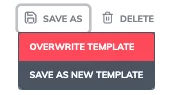
Once satisfied, overwrite your changes the updated layout will appear whenever you use the template for future quotes.