
General Tip for the Proposal: Your Quote Editor products remain unchanged, but adding a proposal template will adjust the layout based on the proposal structure. It’s entirely up to your preference how you want your products to be presented to your client.
How To Overwrite/ Save Your Template. #
- Select a Quote.
- Go to Proposal View.
- Click on ‘Edit‘.
- Choose ‘Save as a New Template‘ or ‘Save to Overwrite‘ an existing template.
- Click ‘Finish Editing‘.

If you’ve updated an existing template and want to use these updates in future quotes, save to overwrite the template. This will ensure the latest updates are applied to all future quotes when using the template. Alternatively, you can save it as a completely new template.
How To Delete A Proposal From A Quote #
- Select a Quote.
- Go to Proposal View.
- Click on ‘Edit‘.
- Select ‘Delete’
- Click ‘Finish Editing‘.
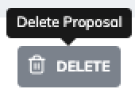
If you would like to delete a proposal linked to a quote, select the bin icon. This will not delete the proposal entirely.
To Delete A Proposal Permanetly. #
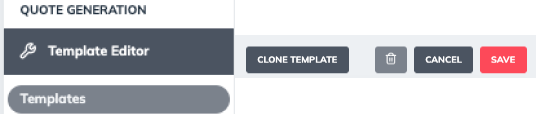
- Go to Template Editor.
- Go to Templates.
- Select the template you want to delete .
- Select ‘Delete’