

Proposal settings allow you to customise the appearance and layout of your proposals. You can include cover pages, additional pages, and adjust fonts and heading colors to align with your branding or style preferences. This feature helps create professional and personalised proposals.
How to Change the Proposal Name or Description in Proposal Settings #
- Go to Proposal View.
- Click on ‘Edit‘.
- Navigate to ‘Proposal Settings‘.
- Go to Name or Description.
- Fill in the details.
- Click ‘Save‘.
- Click ‘Finish Editing‘.
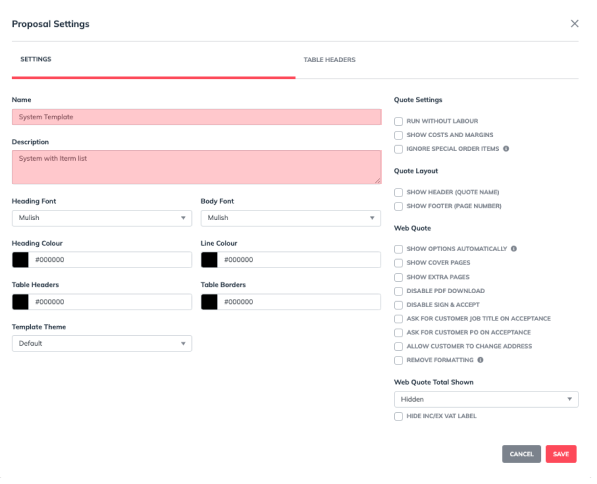
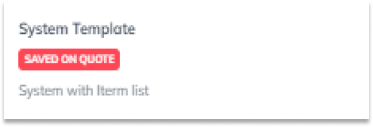
This will be displayed when you select your proposal template.
How to Change the Heading Font/ Body Font #
- Go to Proposal View.
- Click on ‘Edit‘.
- Navigate to ‘Proposal Settings‘.
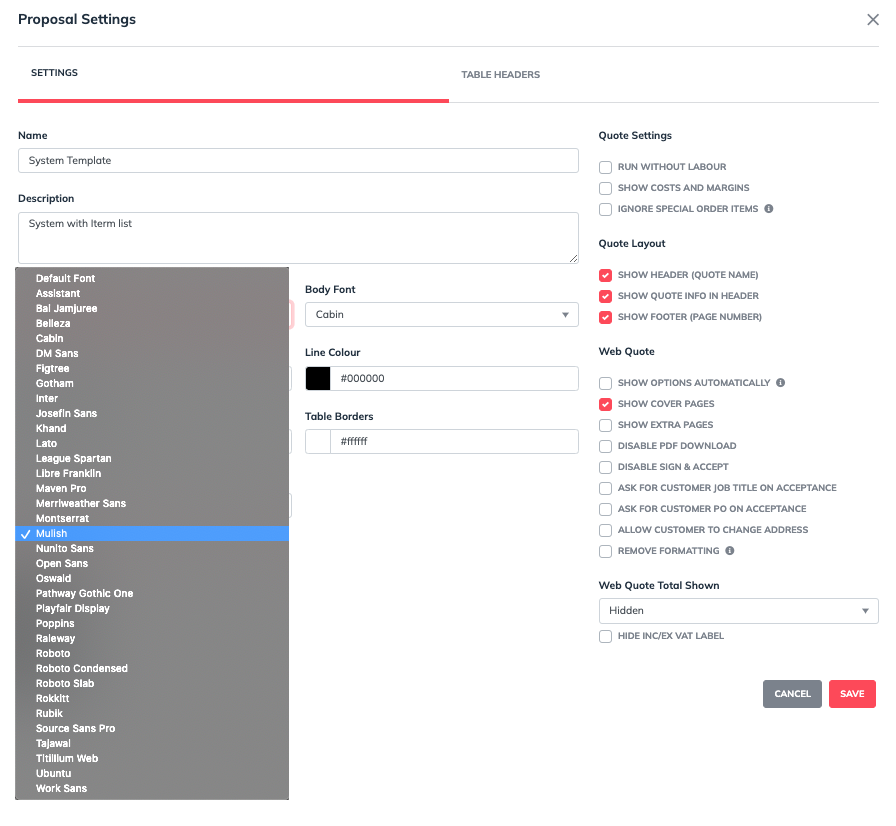
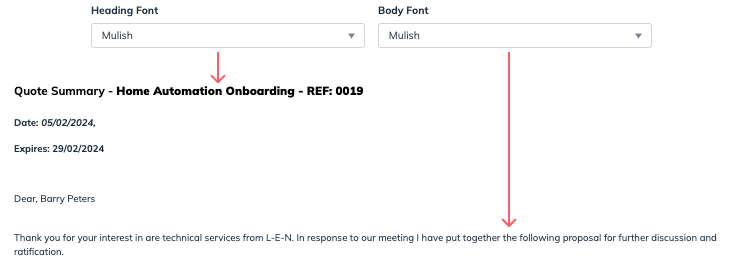
- Go to Heading Font/ Body Font
- Choose your preferred font
- Click ‘Save‘.
- Click ‘Finish Editing‘.
How to Change the Heading/ Line Color #
- Go to Proposal View.
- Click on ‘Edit‘.
- Navigate to ‘Proposal Settings‘.
- Go to Heading Colour/ Line Colour
- Choose your preferred color using the color picker or enter the hex code.
- Click ‘Save‘.
- Click ‘Finish Editing‘.
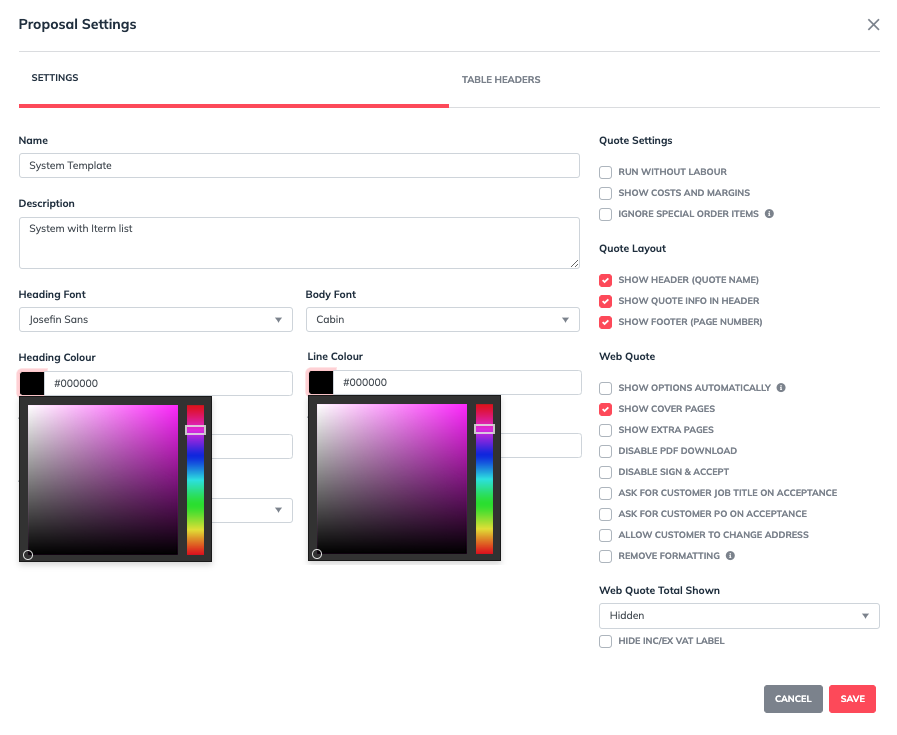


How to Change the Table Headers/ Table Borders Color #
- Go to Proposal View.
- Click on ‘Edit‘.
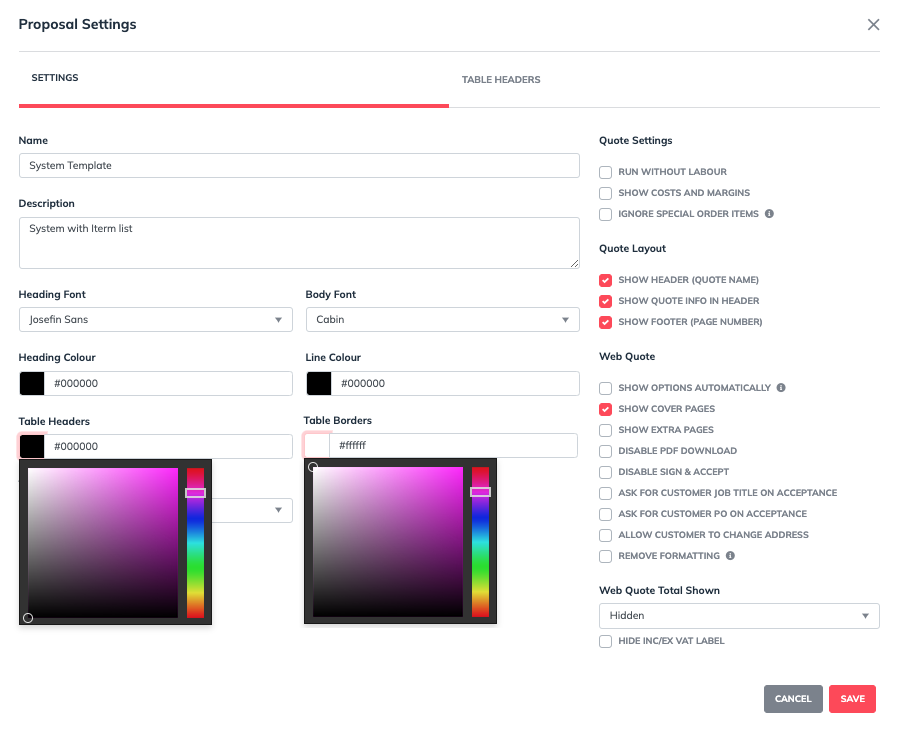
- Navigate to ‘Proposal Settings‘.
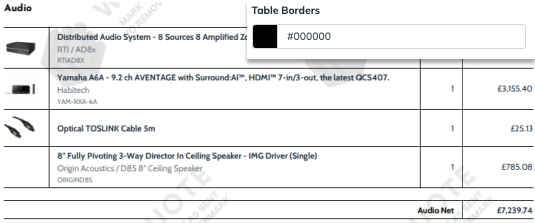
- Go to Table Headers/ Table Borders Color
- Choose your preferred color using the color picker or enter the hex code.
- Click ‘Save‘.
- Click ‘Finish Editing‘.

How to Change The Quote Settings #
How To Run Without Labour #
- Go to Proposal View.
- Click on ‘Edit‘.
- Navigate to ‘Proposal Settings‘.
- Go to Quote Settings.
- Tick the box for ‘Run Without Labour:‘.
- Click ‘Save‘.
- Click ‘Finish Editing‘.
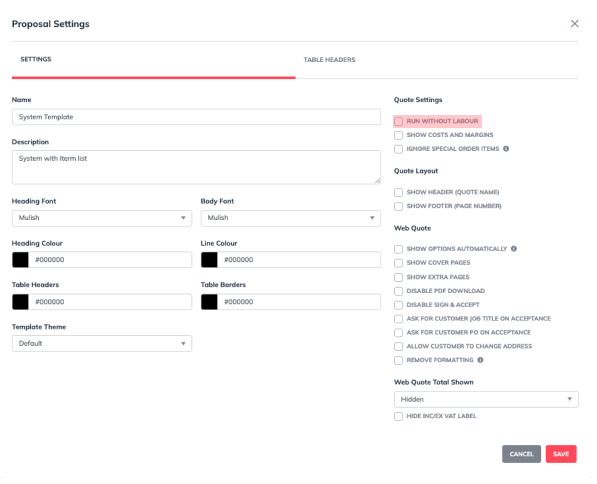
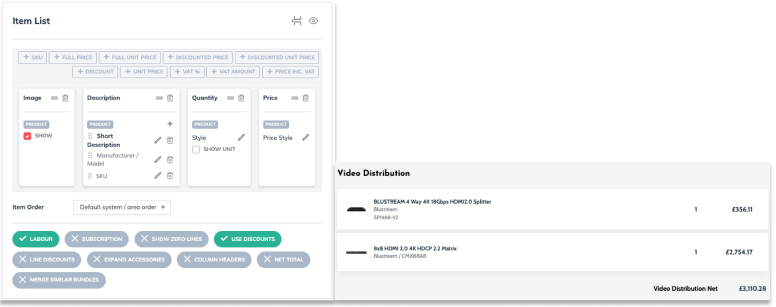
The quote will process without labor, even if ‘Labour‘ is selected in the item list.
To Show Costs and Margins #
- Go to Proposal View.
- Click on ‘Edit‘.
- Navigate to ‘Proposal Settings‘.
- Go to Quote Settings.
- Tick the box for ‘Show Costs and Margins‘.
- Click ‘Save‘.
- Click ‘Finish Editing‘.
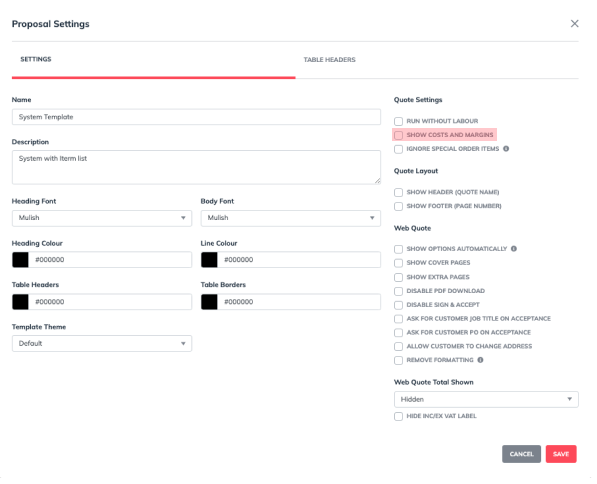

Cost and margins are displayed differently in the Web and PDF views.
To Ignore Special Order Items #
- Go to Proposal View.
- Click on ‘Edit‘.
- Navigate to ‘Proposal Settings‘.
- Go to Quote Settings.
- Tick the box for ‘Ignore Special Order Items‘.
- Click ‘Save‘.
- Click ‘Finish Editing‘.
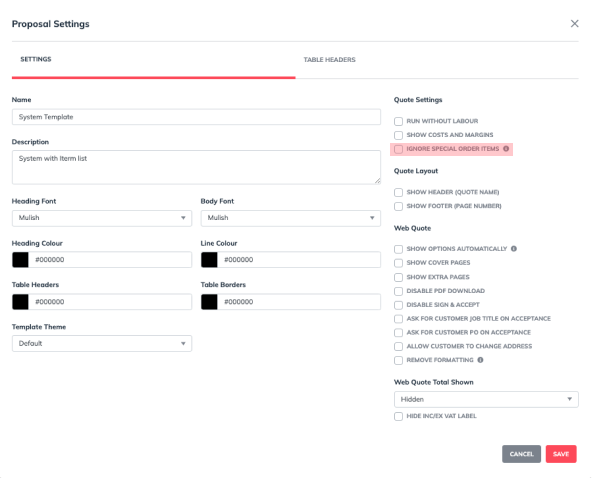

If selected, it will hide the ‘Special Order Item’ label.
How To Change The Quote Layout Settings #
To show header and footer:
- Go to Proposal View.
- Click on ‘Edit‘.
- Navigate to ‘Proposal Settings‘.
- Go to Quote Layout.
- Tick the box to show ‘Header’ and ‘Footer’.
- Click ‘Save‘.
- Click ‘Finish Editing‘.
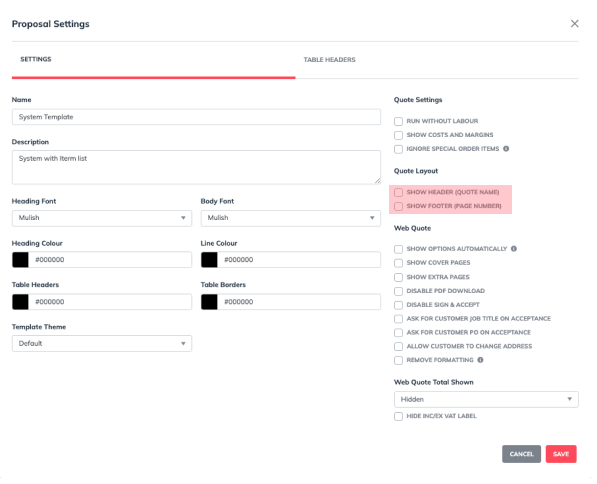

The quote layout is only visible in the PDF.
To Change Web Quote Settings: #
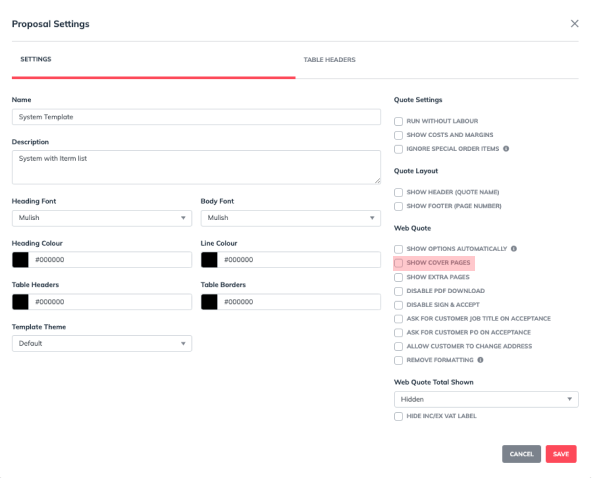
How to Enable Cover Pages in Proposal Settings #
- Go to Proposal View.
- Click on ‘Edit‘.
- Navigate to ‘Proposal Settings‘.
- Go to Web Quote.
- Tick the box for ‘Show Cover Pages‘.
- Click ‘Save‘.
- Click ‘Finish Editing‘.
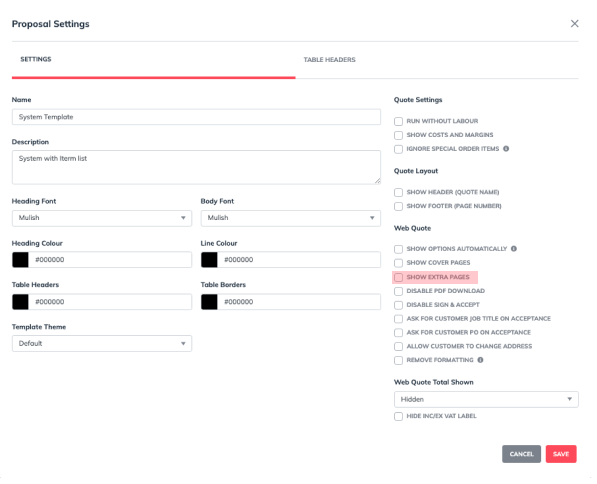
How to Enable Extra Pages in Proposal Settings #
- Go to Proposal View.
- Click on ‘Edit‘.
- Navigate to ‘Proposal Settings‘.
- Go to Web Quote.
- Tick the box for ‘Show Extra Pages‘.
- Click ‘Save‘.
- Click ‘Finish Editing‘.
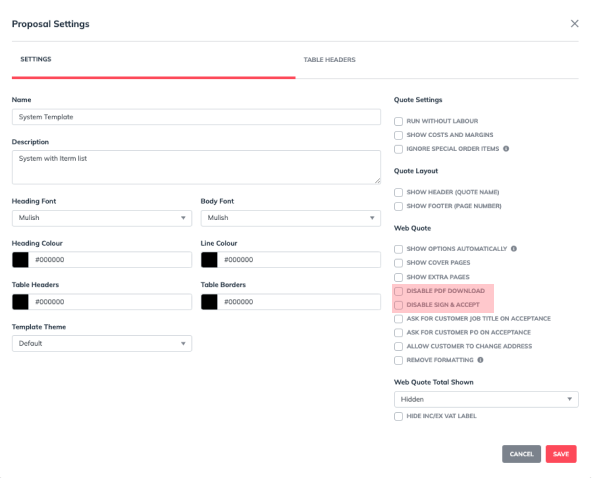
How To Disable PDF Download and Sign & Accept #
- Go to Proposal View.
- Click on ‘Edit‘.
- Navigate to ‘Proposal Settings‘.
- Go to ‘Web Quote’
- Tick ‘Disable PDF Download‘ or ‘Disable Sign & Accept‘.
- Click ‘Save‘.
- Click ‘Finish Editing‘.
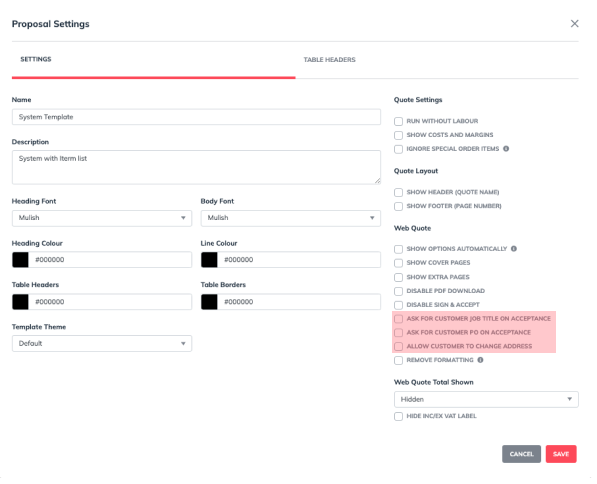
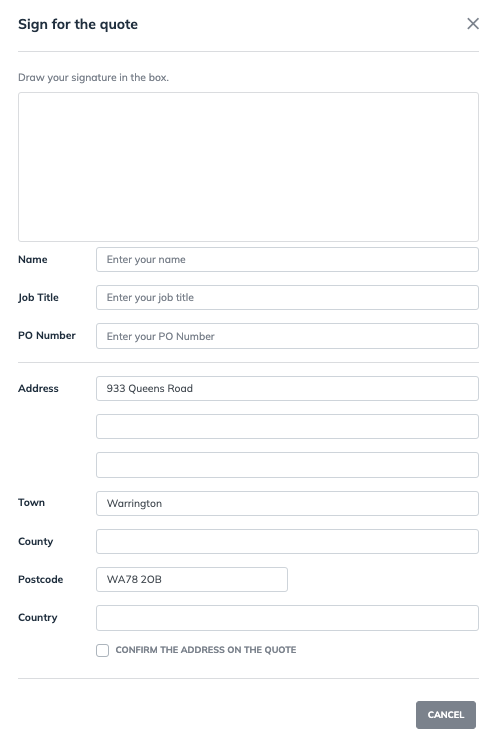
Acceptance form settings: #
- Go to Proposal View.
- Click on ‘Edit‘.
- Navigate to ‘Proposal Settings‘.
- Go to Web Quote.
- Select all the boxes you want to include in your acceptance form
- Click ‘Save‘.
- Click ‘Finish Editing‘.
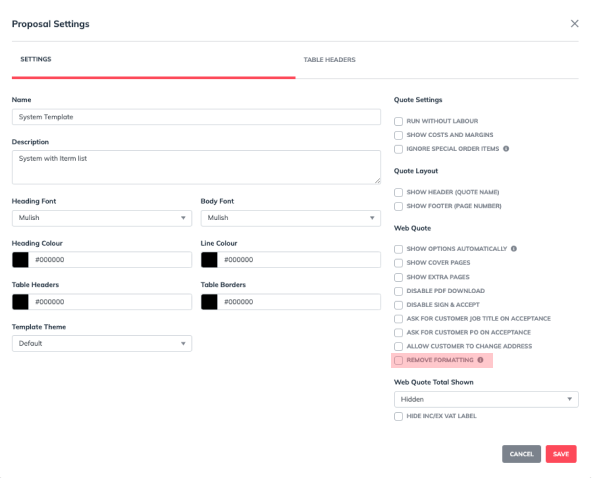
How To Fix Missing Videos and Scaling Images. #
- Go to Proposal View.
- Click on ‘Edit‘.
- Navigate to ‘Proposal Settings‘.
- Go to ‘Web Quote’
- Tick ‘Remove Formatting’.
- Click ‘Save‘.
- Click ‘Finish Editing‘.
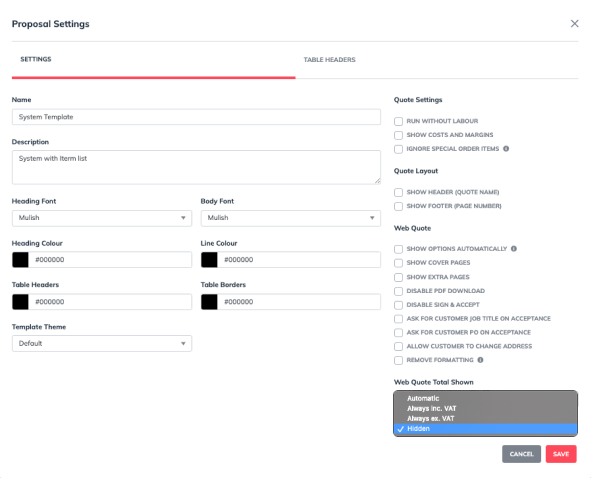
How to Change the Web Quote Total Shown #
- Go to Proposal View.
- Click on ‘Edit‘.
- Navigate to ‘Proposal Settings‘.
- Go to ‘Web Quote Total Shown’
- Choose from the drop down menu.
- Click ‘Save‘.
- Click ‘Finish Editing‘.

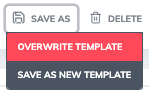
Once you’re satisfied, save your changes to overwrite the template. These updates will automatically apply each time you use the template for future quotes.
Most cover pages can be customised directly in the proposal editor, allowing you to replace images as needed. If you need a specific cover page design or want the ‘Cover Page’ editor enabled, please contact us for assistance.